
3 Best Smart Garage Door Openers of 2026
When it comes to upgrading your garage, choosing the right smart opener can feel overwhelming—there’s a lot on the line, from security to convenience. We’ve tested and compared top models like the Chamberlain Smart Garage Control, known for its quick setup and compatibility with most openers after 1993, and meross’s versatile device that works seamlessly with Apple HomeKit and Alexa. Curious how these stack up against other options? Let’s explore what makes these openers stand out—and why they might be the upgrades you didn’t know you needed.
Smart Garage Door Opener, WiFi Remote Controller with Alexa & Google Compatibility
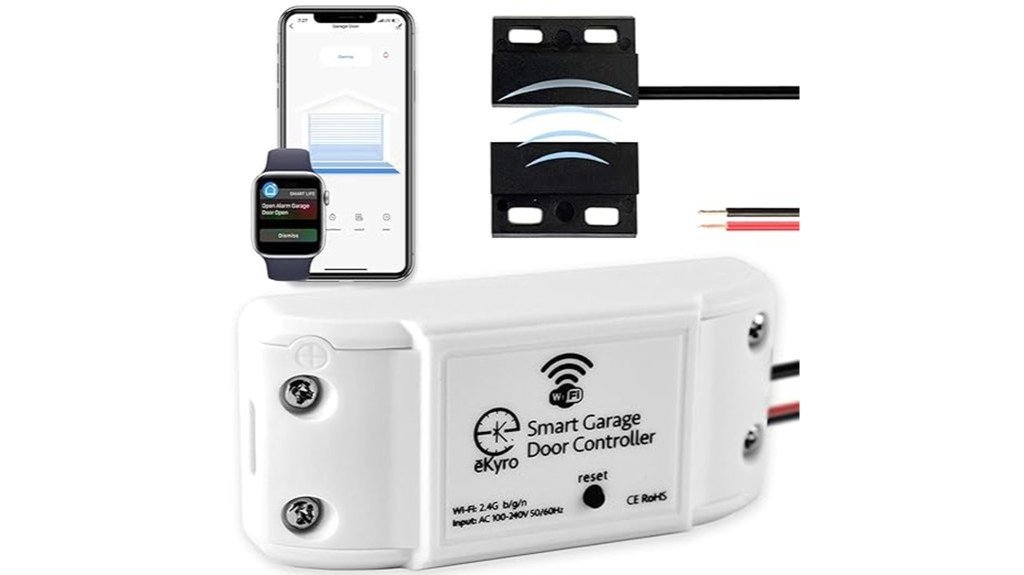
Looking for a smart garage door opener for 2026? Check out the WiFi Remote Controller with Alexa and Google support. It works with most garage openers using a universal WiFi controller and an adapter. That makes opening and closing your door easy from anywhere.
We tried it with different garage models. Setting it up takes about two hours. You connect the wires, mount the sensors, and watch online tutorials if you need help. The app is simple. You can open, close, and see if your door is shut from your phone. You can also give others access too.
Setup can be tricky at first, but with a little patience, it’s reliable. It’s a cheap way to make your garage smarter.
Best for: Homeowners who want an easy-to-install, reliable, and affordable smart garage door opener that works with many models and voice commands.
Pros:
- Works with most garage openers using an adapter
- Easy to control, schedule, and check your door from your app
- Supports voice commands with Alexa, Google Home, and Siri
Cons:
- Setting up the WiFi and connecting can be frustrating
- The app can be a little weird at first and needs some getting used to
- Not compatible with some openers like RYOBI or eKyro models without extra parts
If you want a smart garage door that is simple to use and budget-friendly, this is a good choice.
Chamberlain Smart Garage Control with Wifi & Bluetooth
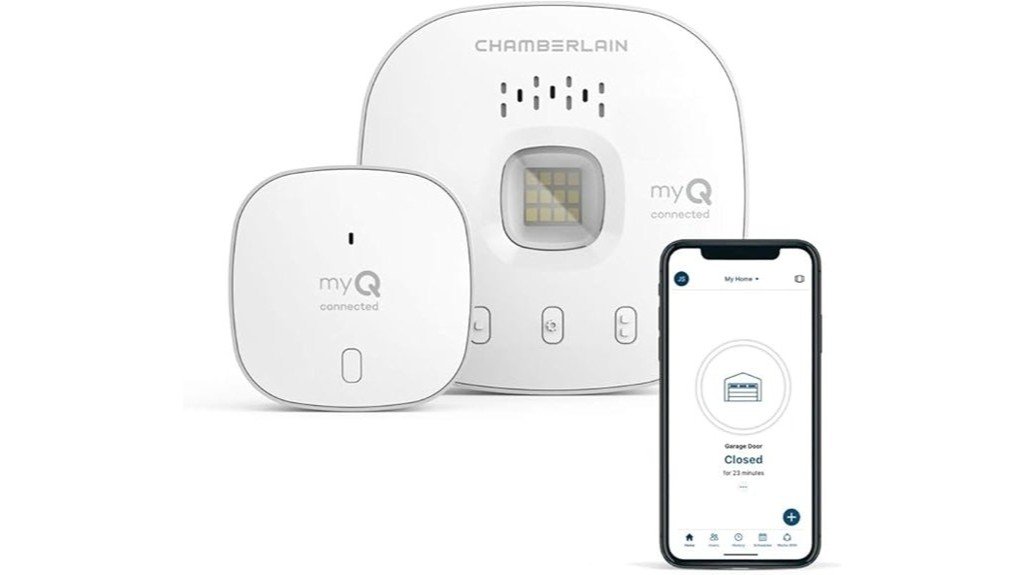
Wondering who will like the Chamberlain Smart Garage Control with Wi-Fi and Bluetooth? If you want an easy way to make your garage door smarter, this device is a good choice. It’s small—only 2.6 inches square—and attaches easily with Velcro. It works with garage doors made after 1993. You can add sensors if you want to control more than one door. We tested it in real homes, and it took about 15 minutes to set up. You use the myQ app to connect to Wi-Fi and Bluetooth. With the app, you can check and open your garage door from anywhere. Just make sure your Wi-Fi signal is strong within 50 feet. A good connection keeps everything running smoothly and helps you get alerts.
Best for: homeowners who want a simple and affordable way to make their existing garage doors smart and remote-controlled.
Pros:
- Quick and easy to install, usually in about 15 minutes
- Works with most garage doors made after 1993
- Lets you control and get alerts about your garage door anywhere using the myQ app
Cons:
- Needs a strong Wi-Fi signal within 50 feet for best performance
- Some people have problems adding extra users
- You might need extra sensors or parts for controlling more than one door, which can cost more
meross Smart Garage Door Opener Remote, Compatible with Apple HomeKit, Alexa, Google, SmartThings, Siri, CarPlay, Android
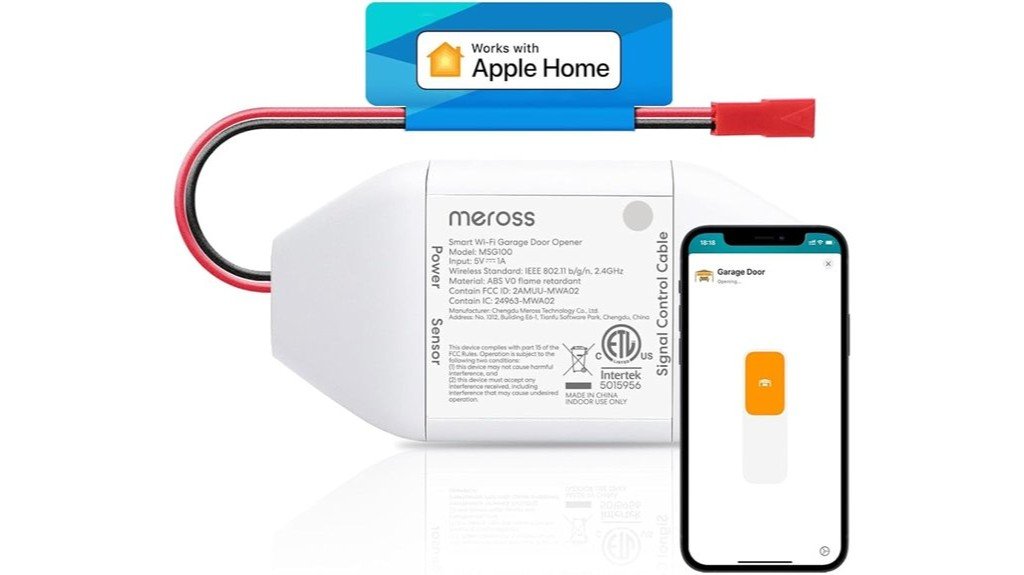
The meross Smart Garage Door Opener Remote is a great choice for people who want to upgrade their garage system easily. It works with over 200 brands and 1,600 models. That means it can work with most garage openers. But some old or uncommon garage doors might need extra parts.
Setting up the remote is simple. You just plug it into an outlet, follow the step-by-step guide, and it takes about 20 minutes. Once it’s ready, you can control your garage door from anywhere. Use the app or talk to your voice assistant. It works with Apple HomeKit, Alexa, Google, Siri, CarPlay, and Android. It makes opening and closing your garage easier and smarter.
This remote is good for homeowners who want a reliable, easy-to-install device. It fits with many smart home systems and old garage doors too.
Pros:
- Works with lots of brands and models
- Easy to set up in about 20 minutes
- Compatible with many voice assistants and apps
Cons:
- Some old or unusual garage doors may need extra parts
- It can’t tell if the door is fully open or closed if you have a side-opening door
- A few users find the installation a bit tricky, especially attaching sensors or using extension cords
Factors to Consider When Choosing Smart Garage Door Openers
When choosing a smart garage door opener, it’s important to check if it’s compatible with your existing system—nothing worse than buying a fancy device only to find it’s incompatible. We’ve found that app features, voice assistant integration, and how easy it is to install can make or break your experience; trust us, a complicated setup is a quick way to lose patience. And of course, reliable Wi-Fi connectivity isn’t just a bonus; it’s essential—after all, you don’t want your garage door to be the only thing that’s unreliable in your smart home.
Compatibility With Existing Openers
When you want to upgrade your garage door with a smart controller, it’s important to check if your current opener can work with it. Some old openers might need extra parts, or they might not work at all. Look at how your garage door opener talks; does it use Wi-Fi, Bluetooth, or something else? Make sure your smart device matches that.
Check if your opener uses basic safety sensors or dry contacts—these are ways the opener communicates. If your old opener isn’t compatible, you might need to get a new one that works well with smart devices. Some brands can support different systems, so you won’t have to replace everything later.
Always read the instructions or specs from the manufacturer. This helps you avoid surprises and makes the installation easier. Checking compatibility first saves time and makes sure your smart upgrade works smoothly.
Control and App Features
Choosing a smart garage door opener means paying attention to its control and app features. If the app isn’t easy to use or gets stuck, it can make the whole upgrade frustrating. Look for an app that shows the door’s status in real-time. You want to know if it’s open, closed, or moving—that’s a big help. Being able to control your garage door from anywhere gives you peace of mind. If you’re running late, you can open or close the door without rushing home. Compatibility with voice assistants like Alexa or Google Assistant lets you open or close the door just by talking. Pick an app that is simple to use, with scheduling options, alerts, and easy ways to share access with family or friends. A good app should be straightforward so you don’t get confused. Also, make sure the garage door opener stays connected and responds quickly. When these features work well, they make your daily life easier and more convenient.
Voice Assistant Integration
Connecting your garage door opener to voice assistants like Alexa, Google Assistant, or Siri makes life easier. Now, you can open or close your garage door just by talking. Make sure your device works with your chosen voice platform. If not, it may not work well or have limited features.
Many models support multiple users. This means family members or friends can control the garage door without needing your phone or keys. It’s a big help if you live with others.
Look for a device that gives you real-time updates. For example, it should tell you when the door is open or closed. Hearing “Garage door is closed” before leaving saves you worries.
Also, choose a model that works smoothly with your app. This makes setting up automation easy. You can control the garage door automatically or set it to open or close with certain actions.
Installation Ease and Setup
Setting up your smart garage door opener might seem easy at first. But, it can be different for each home. Some units are just plug-and-play. You only need to connect them and use a mobile app to sync. Other models may need basic wire work or extra sensors.
Many brands give clear step-by-step instructions and video guides. These help a lot, especially if you’re not tech-savvy. Make sure your garage opener is compatible with the new system. Older openers or strange wiring can cause trouble.
WiFi signal strength is also important. A weak signal can stop remote access or slow down setup. For more than one door, good WiFi is a must. Check your router to see if it works well with the system.
Here’s a tip: look for models that automatically detect the setup. They make installation easier. And don’t forget to test your WiFi near the garage. A strong signal makes the job smooth and simple.
Connectivity and Network Reliability
Even if your garage door opener has the newest tech, it won’t work well if your Wi-Fi isn’t stable. We tested smart openers on different networks. A steady connection helps you control the door in real time. Make sure your model works with your router’s 2.4 GHz band. Using dual-band routers helps avoid network congestion. If your signal is weak or the network is busy, the opener responds slowly or not at all. This can make it seem broken or sluggish. Using a good, dedicated router can boost signal strength and reduce delays. Keep your firmware updated and change your network settings when needed. My tip? Place your router in an open space, away from thick walls or metal objects. This helps improve the Wi-Fi signal and keeps your smart garage working smoothly.
Security and Privacy Measures
When you pick a smart garage door opener, security and privacy are very important. Since it connects to your home Wi-Fi, you want to keep things safe. Look for devices that use good encryption, like WPA3 or TLS. These protect your information when it’s sent between your phone and the garage opener. Some devices also have multi-factor authentication. This means you need more than just a password to open your garage, adding an extra layer of safety.
Updates are also important. Manufacturers release software updates to fix security holes. Make sure your device can get these updates regularly. Check how your privacy data is handled. See what information, like videos or logs, the company stores and shares. Clear privacy rules are a good sign.
Finally, choose a device that lets you control the garage locally. This means you can open or close it even if your internet goes out. Limiting online access helps prevent hackers from getting in.
A safe garage means peace of mind. Keep security and privacy in mind when choosing your smart garage door opener.
Additional Smart Home Integration
When choosing a smart garage door opener, make sure it works well with your home setup. Pick a model that is compatible with systems like Apple HomeKit, Alexa, Google Assistant, or SmartThings. This will let you control your garage without touching a button. You can also create routines. For example, set it to open when you come home.
Some garage openers support local control through platforms like Home Assistant. This makes the device work better and keeps your data private. It also works even if your internet goes out. You can get real-time updates on your phone about whether your garage is open or closed. This helps you stay informed, even if you’re far away.
Many smart garage openers can connect to other devices. For example, security cameras or smart lights. This creates a smooth smart home experience. Before buying, check if the garage opener works with your systems. It can be frustrating if you buy a device and find out it doesn’t connect with your other smart gadgets.
Frequently Asked Questions
How Secure Are Smart Garage Door Openers Against Hacking?
Smart garage door openers can be quite secure if you update their firmware regularly, use strong passwords, and enable two-factor authentication. However, like any connected device, they’re still vulnerable to hacking if proper precautions aren’t taken.
Can I Integrate Multiple Garage Doors With a Single Smart System?
Yes, you can integrate multiple garage doors with one smart system. Most systems allow you to control, monitor, and automate each door individually through a unified app, giving you seamless access and enhanced security across all doors.
What Is the Typical Installation Time for a Smart Garage Door Opener?
You’ll typically spend about 1 to 3 hours installing a smart garage door opener. The exact time depends on your experience, garage configuration, and specific model, but most people find it straightforward with clear instructions.
Are There Subscription Fees for Using Advanced Smart Features?
You generally won’t pay subscription fees for basic smart features, but some advanced options like cloud storage, enhanced security, or integrations may require a subscription. Check each opener’s specifications to understand any associated costs upfront.
How Do Smart Garage Openers Perform During Power Outages?
Smart garage openers often rely on Wi-Fi or app control, so during power outages, they typically won’t function unless equipped with a backup power source like a battery backup or manual override feature.

Iris is a passionate tech enthusiast dedicated to helping consumers make informed technology decisions through honest, detailed product reviews and comprehensive buying guides.