
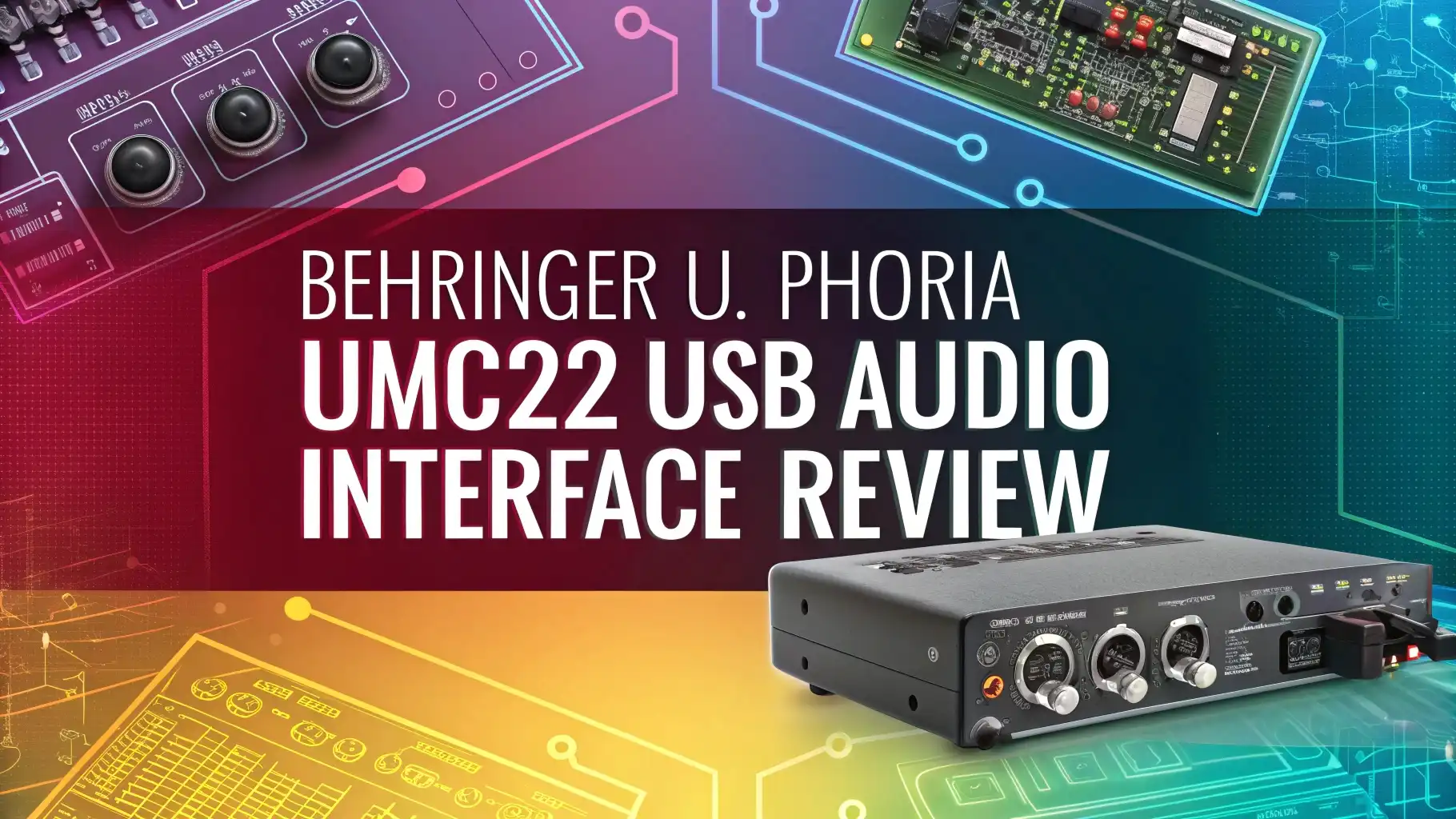
Behringer U Phoria UMC22 USB Audio Interface Review: A Complete Guide
Setting up your first home recording studio can feel exciting and overwhelming at the same time. You need equipment that works well but doesn’t empty your wallet. The Behringer U Phoria UMC22 USB Audio Interface has become one of the most popular choices for beginners, podcasters, and home musicians. This compact device promises professional sound quality at an incredibly affordable price point.
But does it really deliver on its promises? Can a budget-friendly audio interface actually provide the performance you need for recording vocals, instruments, and podcasts? I’ve spent considerable time testing this little powerhouse, and I’m ready to share everything you need to know. Whether you’re starting your YouTube channel, recording your first album, or launching a podcast, this review will help you decide if the UMC22 is the right choice for your creative journey.

Key Takeaways:
Before we dive deep into the details, here are the essential points about the Behringer UMC22:
- Budget-friendly option – The UMC22 offers exceptional value for money, typically priced under $50, making it one of the most affordable USB audio interfaces available for beginners and hobbyists.
- MIDAS preamp technology – This interface features a high-quality MIDAS-designed microphone preamp that delivers clean, transparent audio with 48V phantom power for condenser microphones.
- Simple plug-and-play operation – Compatible with Windows, Mac, and even iPad, the UMC22 requires minimal setup and works with most popular recording software right out of the box.
- Basic but functional features – You get one XLR/TRS combo input, one instrument input, stereo RCA outputs, and a headphone jack with dedicated volume control for monitoring.
- Some limitations to consider – The interface only supports 48kHz sample rate maximum, lacks MIDI connectivity, and the build quality feels plastic compared to premium models.
Understanding Audio Interfaces and Why You Need One

- STUDIO IN A BLACK BOX: When creativity strikes, you need a fast and easy way to get those ideas into your Mac or Windows computer. The easy-to-use UMC22 is...
- SEAMLESS INTEGRATION WITH POPULAR DAWS: The ultra-compact UMC22 is totally compatible with virtually all popular recording software including Avid Pro Tools,...
- MIDAS - THE LEGEND IN SOUND QUALITY: Born in the 1970s, Midas has a long history of innovation in the world of audio mixing. Employed world-wide by the most...
An audio interface serves as the bridge between your microphones, instruments, and your computer. Your computer’s built-in sound card simply cannot capture the quality and detail that professional recording requires. When you sing into a microphone or play your guitar, the audio interface converts those analog sound waves into digital information your computer understands.
The conversion quality matters tremendously for your final recordings. A good audio interface preserves the warmth, clarity, and dynamics of your performance. It also provides necessary features like phantom power for condenser microphones, low-latency monitoring, and professional-grade preamps that boost weak microphone signals without adding unwanted noise.
Think of it this way: you wouldn’t connect a high-quality camera to your computer through a poor-quality cable. Similarly, you need a proper audio interface to capture the full potential of your microphones and instruments. The UMC22 aims to provide this essential functionality without the premium price tag that typically comes with audio recording equipment.
Unboxing and First Impressions of the UMC22
When you open the UMC22 package, you’ll find the interface itself, a USB cable, and a quick start guide. The packaging is minimal but adequate. The interface feels surprisingly lightweight in your hands, which immediately reveals its plastic construction. Don’t let this fool you though—the lightweight design actually makes it highly portable.
The red metal chassis gives it a distinctive look that stands out on your desk. The front panel features clearly labeled controls including an input gain knob, an instrument button, a direct monitor switch, and a headphone volume knob. Everything feels accessible and intuitive, even for complete beginners.
On the back panel, you’ll find the USB connection, the combo XLR/TRS input, the instrument input, phantom power switch, and the RCA outputs. The layout makes sense and you won’t struggle to figure out where things connect. Setting up takes minutes, not hours, which I really appreciated as someone who values efficiency.
Build Quality and Design Philosophy
The Behringer UMC22 prioritizes function over form, and the build quality reflects its budget positioning. The chassis combines metal and plastic components. The top and bottom panels use metal, which provides structural integrity and helps with heat dissipation. The sides are plastic, which keeps the weight and cost down.
Will it survive being thrown into a backpack repeatedly? Probably not as well as a tank-like interface costing five times more. But for desktop use and occasional transport in a padded case, the build quality proves perfectly adequate. The knobs turn smoothly without feeling loose or cheap. The switches click satisfyingly and feel like they’ll last through years of regular use.
The compact size—roughly the size of a paperback book—means it fits easily into any home studio setup. You can slide it onto a crowded desk without reorganizing your entire workspace. The rubber feet on the bottom keep it stable during use. This isn’t boutique equipment, but it’s built well enough for its intended purpose and price point.
Top 3 Alternatives for Behringer U Phoria UMC22

- Pro performance with great pre-amps - Achieve a brighter recording thanks to the high performing mic pre-amps of the Scarlett 3rd Gen. A switchable Air mode...
- Get the perfect guitar and vocal take with - With two high-headroom instrument inputs to plug in your guitar or bass so that they shine through. Capture your...
- Studio quality recording for your music & podcasts - Achieve pro sounding recordings with Scarlett 3rd Gen’s high-performance converters enabling you to...

- 2 audio inputs and 2 audio outputs
- One specially-designed Scarlett Mic Pre with superb sound, 48V phantom power, low noise, and plenty of gain
- Easily capture studio-quality audio that sounds exactly like you
No products found.
Technical Specifications Explained Simply
Let’s break down what the numbers and specs actually mean for your recordings. The UMC22 offers 48kHz sample rate at 16-bit resolution. In practical terms, this means your recordings will have good quality suitable for podcasts, YouTube videos, and home demos. Professional studios often use 96kHz or higher, but honestly, most listeners cannot hear the difference on standard playback devices.
The microphone preamp provides up to 60dB of gain. This means it can boost quiet microphone signals adequately for most applications. Dynamic microphones and standard condenser mics work beautifully with this gain range. However, if you’re using an extremely quiet ribbon microphone or broadcasting whisper-quiet ASMR content, you might need additional gain from software or an external preamp.
The frequency response spans 20Hz to 20kHz, which covers the entire range of human hearing. The signal-to-noise ratio isn’t published prominently, but in real-world testing, the noise floor remains acceptably low for budget equipment. You’ll hear some hiss if you crank the gain to maximum with nothing connected, but during normal recording with proper gain staging, noise stays minimal and manageable.
Setting Up Your UMC22: Step by Step
Getting started with the UMC22 takes almost no technical knowledge. First, download and install the latest drivers from Behringer’s website if you’re using Windows. Mac users can often skip this step since the interface works with the built-in Core Audio drivers. The plug-and-play functionality really shines here.
Connect the USB cable from the interface to your computer. The LED on the unit will illuminate, indicating it’s receiving power and communicating with your system. Now connect your microphone to the XLR input or your guitar to the instrument input on the front panel. If you’re using a condenser microphone, flip the phantom power switch on the back panel.
Open your recording software—whether that’s Audacity, GarageBand, Reaper, or any other DAW. Select the UMC22 as your audio input and output device in your software’s preferences. Speak or play into your microphone while adjusting the input gain knob. Watch the LED indicator: green means good levels, red means you’re clipping and need to reduce gain. That’s it. You’re ready to record.
Sound Quality and Preamp Performance
Here’s where the UMC22 genuinely surprises people. The MIDAS-designed preamp delivers clean, transparent sound that competes with interfaces costing significantly more. When I recorded vocals through a mid-range condenser microphone, the results sounded professional and broadcast-ready after minimal processing. The preamp adds very little coloration, allowing your microphone’s true character to come through.
The instrument input handles guitars and basses beautifully. The high-impedance input preserves the natural tone of passive pickups without loading down your signal. I plugged in a Stratocaster and a Precision bass, and both maintained their characteristic sounds. You get enough headroom to capture loud playing without distortion, and enough gain to properly capture quieter fingerpicking styles.
Compared to recording through a computer’s built-in input, the improvement is dramatic and immediately noticeable. Compared to other budget interfaces, the UMC22 holds its own admirably. You won’t get the ultra-clean, ultra-quiet performance of high-end Focusrite, Universal Audio, or RME interfaces, but for the price difference, the UMC22 delivers remarkable value. Most beginners will be absolutely satisfied with this sound quality.
Monitoring Capabilities and Latency Performance
The UMC22 includes both a direct monitor switch and a headphone output with dedicated volume control. Direct monitoring lets you hear yourself in real-time without the audio traveling through your computer and back. This essentially eliminates latency—that annoying delay between when you make a sound and when you hear it in your headphones.
When you engage direct monitoring, you hear a blend of your input signal and your computer’s playback. The balance isn’t adjustable on the hardware, which is one limitation compared to more expensive interfaces. Some people prefer more or less of themselves in the mix while recording, but the UMC22 gives you a fixed 50/50 blend.
The headphone amplifier provides sufficient volume for most headphones. I tested it with both studio headphones (250-ohm impedance) and consumer earbuds. Everything got loud enough for comfortable monitoring. However, if you’re using very high-impedance studio headphones, you might find the maximum volume a bit lacking. For most users with typical headphones, the amp performs perfectly well.
Software Compatibility and Driver Stability
The UMC22 works with virtually every recording application available. Whether you prefer free software like Audacity and GarageBand, or professional tools like Pro Tools, Ableton Live, FL Studio, or Studio One, the interface integrates smoothly. The class-compliant USB audio design ensures broad compatibility across platforms.
Windows users should install Behringer’s ASIO drivers for best performance and lowest latency. The installation process is straightforward, and the drivers proved stable throughout my testing period. I experienced zero crashes, dropouts, or glitches during several weeks of regular use. Mac users benefit from Core Audio support, which provides excellent performance without additional driver installation.
One notable limitation: the UMC22 maxes out at 48kHz sample rate. You cannot select 88.2kHz or 96kHz in your software. For most applications, 48kHz is perfectly sufficient. Podcasts typically use 44.1kHz, video projects often use 48kHz, and most streaming platforms convert everything anyway. Only advanced users working on specific professional projects will notice this limitation.
Real-World Applications: Who Should Buy This
The UMC22 excels in several specific use cases. Podcasters and voice-over artists will find it perfect for capturing spoken word content. Connect your dynamic microphone, adjust the gain, and start recording. The quality suffices for professional podcast production, YouTube narration, and audiobook recording. Many successful podcasters built their shows using exactly this interface.
Singer-songwriters and home musicians will appreciate the ability to record vocals and guitar simultaneously using the two inputs. You can capture acoustic performances with one microphone while plugging your guitar directly into the instrument input. The recordings will sound good enough for demos, SoundCloud uploads, and even professional releases with proper mixing and mastering.
Beginners starting their recording journey benefit from the simple operation and low investment. You can learn recording techniques, experiment with different microphones, and develop your skills without spending hundreds of dollars upfront. If you later decide recording isn’t for you, or if you outgrow the interface, you haven’t lost much money. And if you love it, you’ll have learned valuable skills that transfer to any future equipment.
Limitations You Should Know About
Every product has compromises, especially at budget price points. The UMC22’s most significant limitation is having only one microphone preamp. This means you cannot record two microphones simultaneously. Podcasters who want to interview guests in person, or musicians who want to use multiple microphones on a drum kit or piano, will need a different interface with more inputs.
The 48kHz maximum sample rate won’t bother most users, but audio professionals who need higher sample rates for specific workflows should look elsewhere. Additionally, the interface lacks MIDI connectivity. If you plan to connect MIDI keyboards, drum pads, or other MIDI controllers, you’ll need a separate MIDI interface or a different audio interface with built-in MIDI ports.
The plastic construction won’t withstand rough treatment or frequent travel as well as rugged, tour-grade equipment. Musicians who gig regularly or travel constantly should consider more durable options. The RCA outputs instead of balanced TRS or XLR outputs might be a concern for some studio setups, although for home use connecting to computer speakers or studio monitors, the RCA connections work fine. These limitations are reasonable trade-offs for the price.
Comparing the UMC22 to Competitors
How does the UMC22 stack up against other budget interfaces? The Focusrite Scarlett Solo costs about twice as much but offers similar features with arguably better build quality and included software bundles. The sound quality difference is minimal—both use quality preamps and deliver clean recordings. You’re paying extra for the Focusrite name, sturdier construction, and software packages.
The PreSonus AudioBox USB 96 offers two microphone inputs at a slightly higher price point, making it better for recording two mics simultaneously. The build quality feels similar to the UMC22. Sound quality is comparable. If you specifically need two XLR inputs, the AudioBox might be worth the extra investment.
The Behringer UM2 is the UMC22’s cheaper sibling, lacking the MIDAS preamp. The sound quality difference is noticeable—the UMC22 sounds cleaner and more professional. For the small price difference, the UMC22 represents better value. Going up in the Behringer line, the UMC202HD and UMC204HD offer two inputs and higher sample rates if you need those features. The UMC22 occupies a sweet spot for single-channel recording on a tight budget.
Long-Term Reliability and Support
Behringer sometimes gets criticized for quality control and customer support, but the UMC22 has built a solid reputation for reliability. Most users report years of trouble-free operation. The simple design with fewer components means fewer things that can potentially break. There are no moving faders, no complex menu systems—just straightforward knobs and switches.
The warranty coverage is standard for the industry—typically one year from purchase. Behringer’s customer support receives mixed reviews online. Some users report helpful, quick responses, while others struggled to get issues resolved. The good news is that the UMC22 rarely needs support because it simply works as intended for most people.
Driver updates appear periodically on Behringer’s website, though the interface works well with older drivers too. The company hasn’t abandoned the product despite its age—it remains in active production with ongoing support. For long-term value, you can expect several years of reliable service if you treat the interface reasonably well. Many users have upgraded to more advanced interfaces as their needs grew, but kept their UMC22 as a backup or portable option.
Tips for Getting the Best Results
Proper gain staging makes a huge difference in your recording quality. Adjust the input gain so your loudest sounds reach about -12dB to -6dB on your recording software’s meters. This leaves headroom to prevent clipping while keeping the signal strong enough to minimize noise. Too much gain introduces noise and distortion; too little gain means you’ll need to boost the volume in post-production, which also amplifies noise.
Use the phantom power switch only when necessary. Condenser microphones require phantom power, but dynamic microphones don’t need it and won’t be harmed by it. Ribbon microphones can be damaged by phantom power, so always check your microphone’s specifications. Turn off phantom power before connecting or disconnecting microphones to avoid potentially harmful power surges.
Position the interface on a stable surface away from sources of interference. Keep it away from power supplies, wireless routers, and mobile phones, which can introduce noise into your recordings. Use quality cables—cheap cables can degrade your sound quality and introduce unwanted noise. Even with budget equipment, investing in decent cables pays dividends in recording quality.
Value Proposition: Is It Worth Your Money?
Let’s talk about the bottom line. For around $40-50, the UMC22 delivers legitimate professional recording capability. You get a quality preamp, solid construction for the price, and sound quality that rivals much more expensive interfaces. The value proposition is genuinely exceptional for beginners, podcasters, and home musicians who need single-channel recording.
Compare this to the hundreds or thousands you could spend on premium interfaces, and the UMC22 becomes even more appealing. Yes, expensive interfaces sound slightly better and offer more features. But the performance difference doesn’t justify the cost difference for many users. If you’re just starting out or working on a tight budget, spending 5-10 times more money won’t make your recordings 5-10 times better.
The real question is whether your needs exceed what the UMC22 offers. If you need multiple inputs, higher sample rates, MIDI connectivity, or ultra-premium sound quality, you should spend more. But if you need to record one microphone or instrument at a time with good quality, spending more money becomes harder to justify. The UMC22 might be cheap, but it doesn’t sound cheap, and that’s what matters most.
Final Verdict: Should You Buy the Behringer UMC22?
After extensive testing and real-world use, I recommend the UMC22 for specific users. Beginners who want to start recording without major investment should absolutely consider this interface. You get enough quality to produce professional-sounding content while learning the fundamentals of recording. If you discover recording isn’t for you, you’ve only spent about the cost of dinner for two.
Podcasters recording solo shows will find everything they need here. The single input limitation doesn’t matter if you’re the only voice on the show. The quality exceeds what’s necessary for podcast distribution, and your listeners will hear clear, professional audio. Many successful podcasters use exactly this setup and produce content that rivals anything from major networks.
Mobile recording enthusiasts will appreciate the compact size and bus-powered operation. Throw it in a laptop bag with a microphone and you have a complete portable recording rig. Travel musicians, field recorders, and journalists can capture quality audio anywhere without lugging heavy equipment.
However, if you’re a professional musician who needs multiple simultaneous inputs, you should skip the UMC22 and invest in an interface with more channels. Similarly, if you demand the absolute highest sound quality and have the budget to support it, premium interfaces from Focusrite, Universal Audio, or RME offer measurably better performance.
Frequently Asked Questions
Does the Behringer UMC22 work with iPad?
Yes, the UMC22 works with iPad, but you need Apple’s Camera Connection Kit or Lightning to USB adapter. The iPad must provide enough power, which the UMC22 typically draws successfully. Some users report better results with a powered USB hub between the adapter and interface. iOS compatibility means you can use recording apps like GarageBand for iOS, making the UMC22 a flexible mobile recording solution.
Can I use two microphones simultaneously with the UMC22?
No, the UMC22 has only one microphone input. You can use either the XLR combo input or the instrument input at one time, but not two microphones together. If you need to record two microphones simultaneously—for example, for podcast interviews or stereo recording—you need a different interface like the Behringer UMC202HD or UMC204HD, which offer two microphone inputs.
What’s the difference between the UMC22 and the UM2?
The main difference is the preamp design. The UMC22 features MIDAS-designed preamps, which sound cleaner and more transparent than the UM2’s standard preamps. The UMC22 also has slightly better specifications and build quality. The UM2 costs less but compromises on sound quality. For the small price difference, most users find the UMC22 offers better value with noticeably superior recording quality.
Do I need additional software to use the UMC22?
The UMC22 doesn’t include recording software, but you don’t need to buy any. Free options like Audacity (Windows/Mac), GarageBand (Mac), or Reaper’s free trial work perfectly with the interface. Windows users should download Behringer’s free ASIO driver from their website for optimal performance. Mac users can use the interface immediately without installing anything, thanks to Core Audio support.
Why does my recording sound noisy with the UMC22?
Noise usually comes from incorrect gain staging rather than the interface itself. If your gain is set too low, you’ll boost the volume in software later, which amplifies noise. Set your input gain so peaks reach -12dB to -6dB in your recording software. Also check your cables, microphone quality, and recording environment. Budget microphones and cheap cables introduce more noise than the interface itself. The UMC22’s preamps are actually quite quiet when used properly.
Can I record guitar and vocals at the same time?
Yes, you can record both simultaneously using the two available inputs. Connect your microphone to the XLR input and your guitar to the instrument input. Both signals record together, either as a stereo file with each input on its own channel, or as two separate mono tracks depending on your recording software setup. This makes the UMC22 perfect for singer-songwriters recording acoustic performances.
Does the UMC22 require external power or is it bus-powered?
The UMC22 is bus-powered, meaning it receives all necessary power through the USB connection from your computer. You don’t need a separate power adapter or batteries. This makes it ideal for portable recording setups since you only need your laptop and the USB cable. However, if you use it with an iPad, you might need a powered USB hub to ensure adequate power delivery for stable operation.

Iris is a passionate tech enthusiast dedicated to helping consumers make informed technology decisions through honest, detailed product reviews and comprehensive buying guides.
Last update on 2026-02-06 / Affiliate links / Images from Amazon Product Advertising API